For businesses, laptops are more than everyday work devices. They support communication, accounting, customer management, project delivery, reporting, and countless other business operations.
However, every laptop eventually needs maintenance, repairs, upgrades, or replacement. Making these decisions without a clear plan can increase IT expenses, interrupt employee productivity, and create unnecessary equipment purchases.
For growing businesses in Ahmedabad and across India, corporate laptop lifecycle management can help balance performance, reliability, and cost.
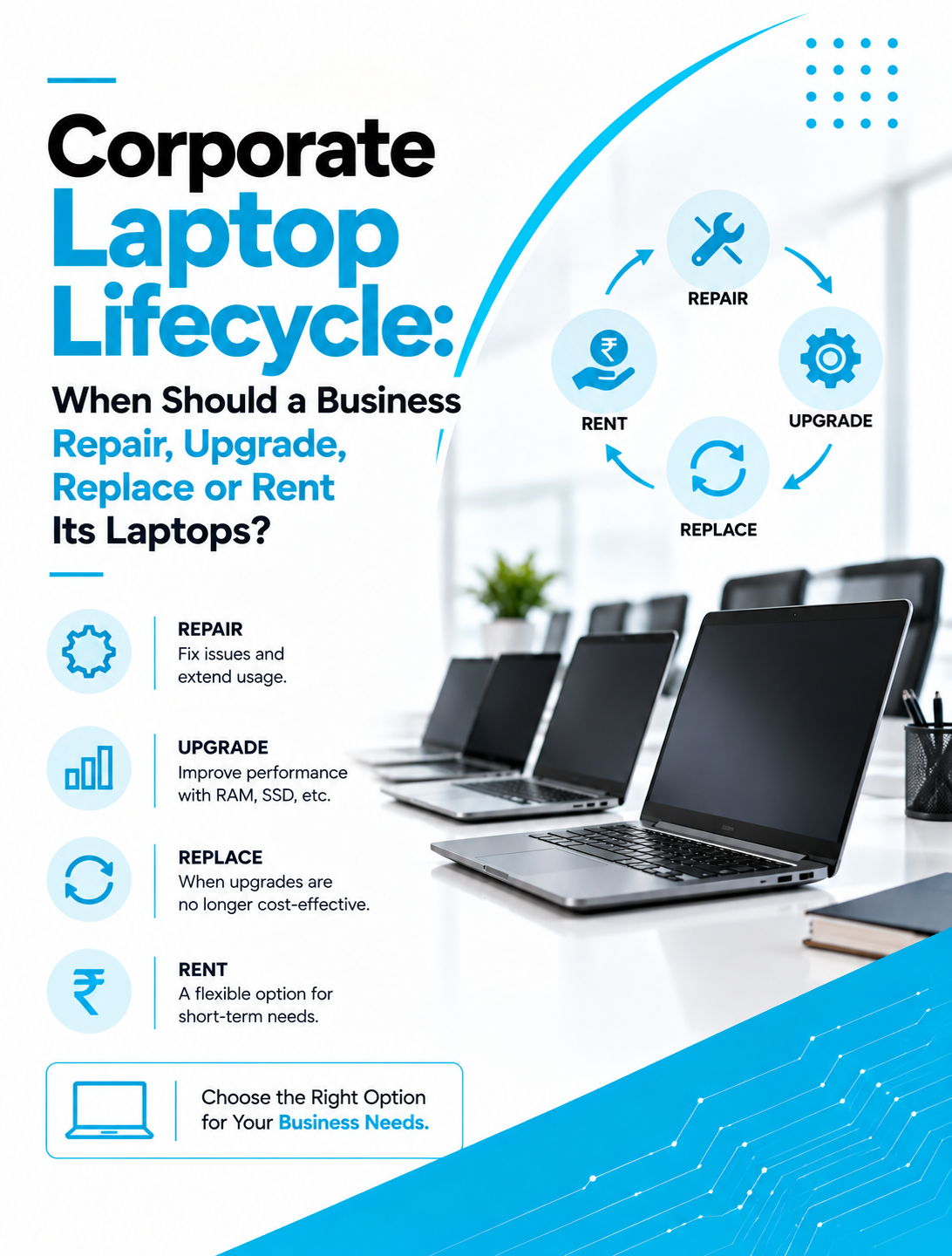
The key is knowing when to repair an existing device, when to upgrade its hardware, when to replace it, and when renting laptops makes more financial sense.
What Is Corporate Laptop Lifecycle Management?
Corporate laptop lifecycle management is the process of planning, purchasing, maintaining, upgrading, and retiring laptops used by an organisation.
Instead of waiting for devices to fail, businesses evaluate their condition, performance, security requirements, and total cost of ownership throughout their useful life.
A typical laptop lifecycle includes five stages:
- Planning and procurement: Selecting laptops based on employee roles and business requirements.
- Deployment: Configuring devices, software, accounts, and security settings.
- Maintenance: Monitoring performance and resolving hardware or software problems.
- Upgrade or replacement: Improving devices or purchasing replacements when necessary.
- Retirement: Securely removing business data and disposing of or reusing equipment responsibly.
A planned approach helps businesses avoid replacing laptops too early or continuing to use devices that no longer meet their requirements.
1. When Should a Business Repair Its Laptops?
Laptop repair is often the most practical option when a device has a specific fault but remains suitable for the employee’s workload.
Common Corporate Laptop Repairs
Businesses may need repairs for:
- Damaged laptop screens and keyboards.
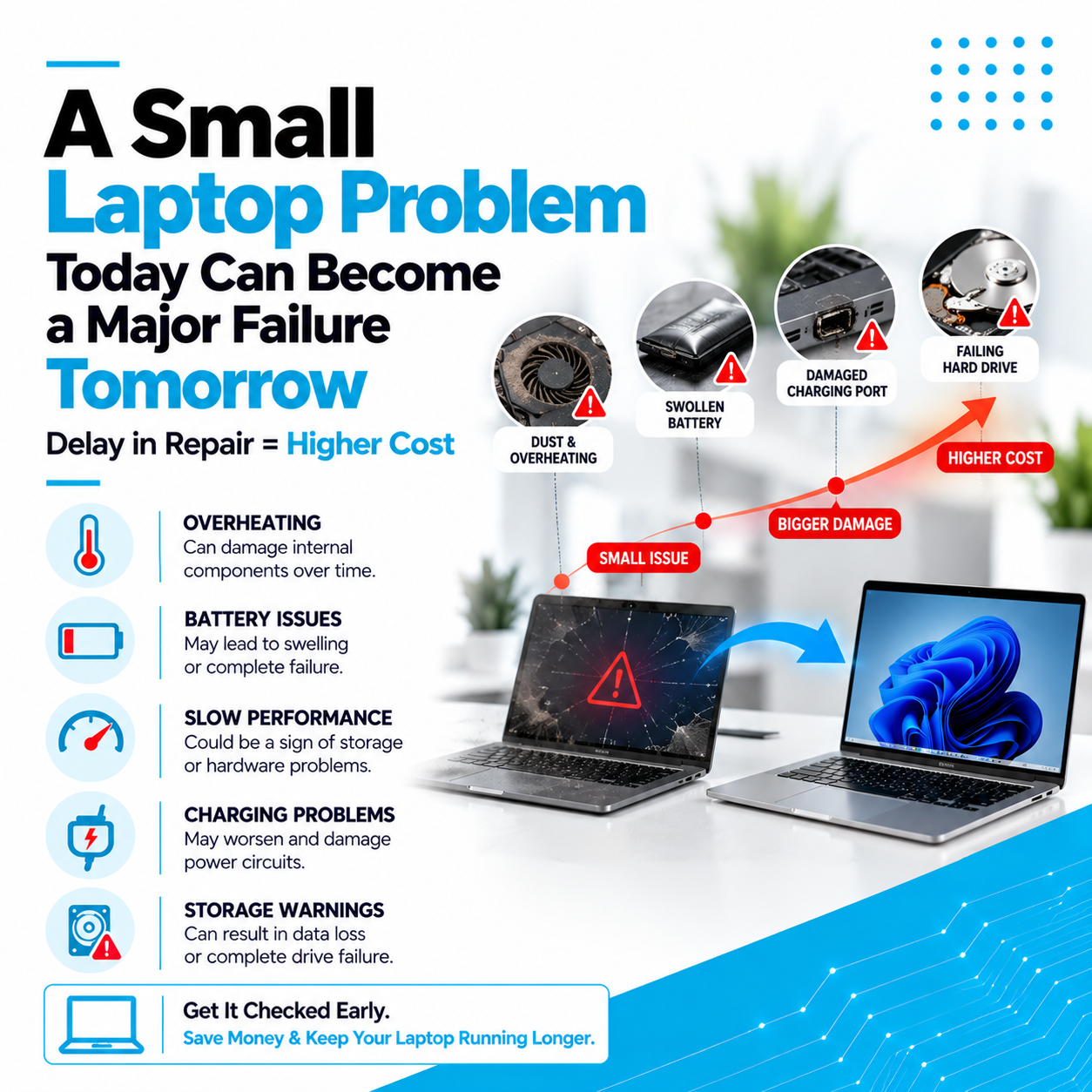
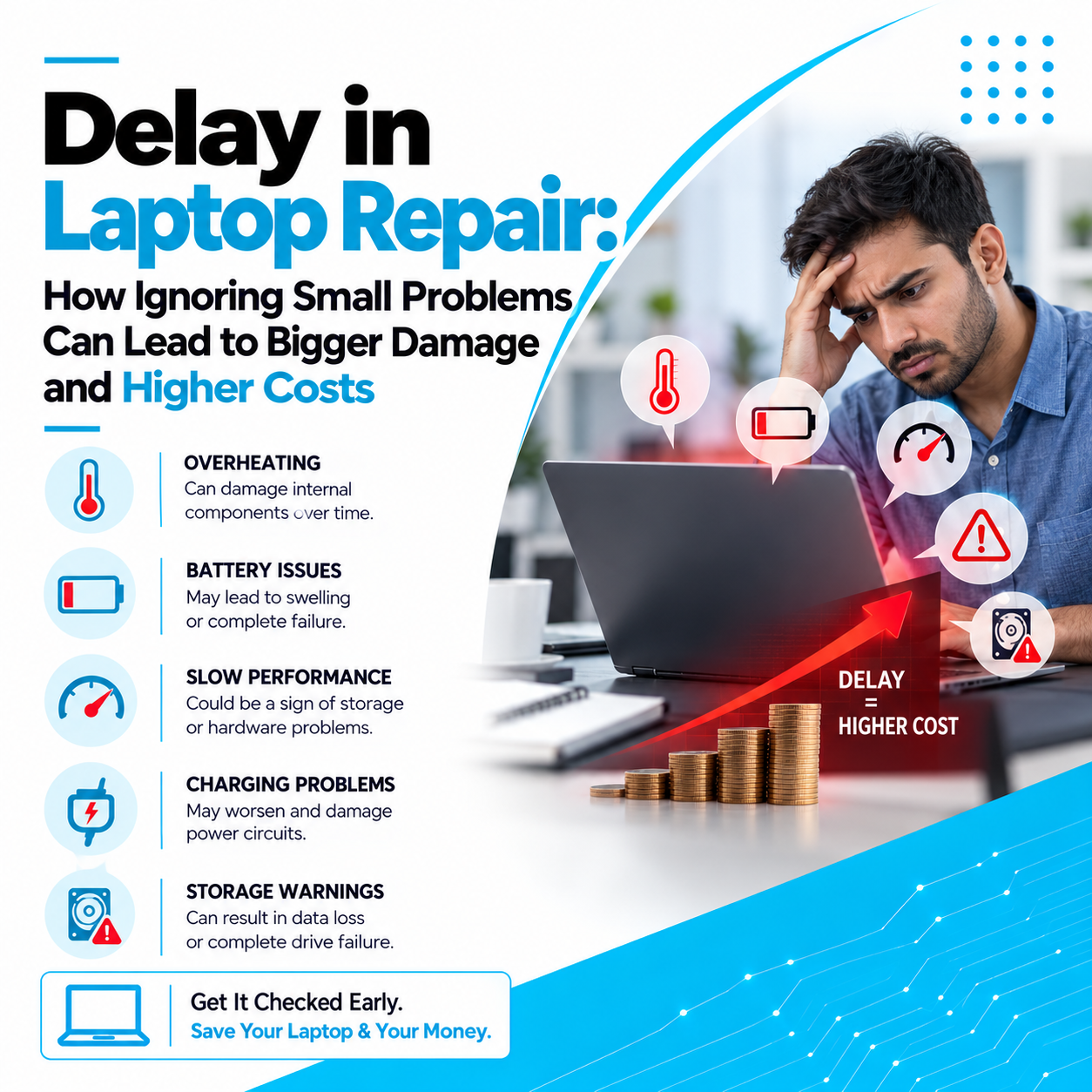
- Battery and charging problems.
- Faulty charging ports.
- Cooling fan issues and overheating.
- Storage drive failures.
- Motherboard and other hardware faults.
The appropriate repair depends on the laptop model, component availability, device condition, and severity of the problem.
When Is Repair Worthwhile?
Repair is generally worth considering when:
- The laptop still meets software and security requirements.
- The problem is limited to one or a few repairable components.
- The repair cost is reasonable compared with replacement.
- The device is otherwise reliable.
- The expected remaining useful life justifies the expense.
For example, replacing a damaged screen on a relatively modern business laptop may be more economical than purchasing an entirely new device.
However, if the laptop has repeated failures or several expensive components need attention, replacement may be the better long-term decision.
2. When Should a Business Upgrade Its Laptops?
Some corporate laptops remain reliable but struggle with newer workloads. In these cases, compatible hardware upgrades may extend their useful life.
SSD Upgrade for Better Responsiveness
Replacing a traditional HDD with an SSD can improve startup times, application loading, and general responsiveness.
This can be particularly useful for older office laptops that remain capable but feel slow during everyday use.
RAM Upgrade for Multitasking
Insufficient memory can affect performance when employees use multiple applications, browser tabs, spreadsheets, or business software simultaneously.
Increasing RAM may help when the existing configuration is the limiting factor and the laptop supports additional memory.
When Are Upgrades Appropriate?
Consider an upgrade if:
- The laptop’s processor remains suitable for the workload.
- The device supports the required operating system and applications.
- Storage or memory is the main performance limitation.
- The battery and other major components remain in acceptable condition.
- The upgrade costs less than a suitable replacement.
Upgrades cannot resolve every problem. For example, adding RAM will not make an unsupported processor compatible with a newer operating system.
Businesses should evaluate compatibility before investing in older equipment.
3. When Should a Business Replace Its Laptops?
Replacement becomes necessary when a laptop no longer meets operational, security, or performance requirements.
The Laptop Cannot Support Required Software
If employees need applications that require newer processors, graphics hardware, operating systems, or security features, upgrading the existing device may not be sufficient.
Repairs Are Becoming Frequent
Repeated breakdowns can create hidden costs through repair expenses, lost employee time, delayed projects, and temporary equipment requirements.
Even if individual repairs appear affordable, their combined cost may make replacement more practical.
The Device Is No Longer Securely Supported
Operating system support and security updates are important considerations for corporate devices.
If a laptop cannot run a supported operating system and no suitable extended security option is available, the business should evaluate a replacement or another supported computing solution.
The Laptop Cannot Handle the Workload
Employees working with demanding spreadsheets, design applications, video editing software, or development tools may need more capable processors, memory, graphics, or storage.
A laptop that consistently limits productivity may need to be replaced even if it is technically functional.
How Can Businesses Decide?
Before replacing a device, compare:
- Repair and upgrade estimates.
- Cost of a suitable replacement.
- Warranty and expected reliability.
- Software and security requirements.
- Employee downtime.
- Expected remaining useful life.
There is no universal replacement age for every laptop. Device condition, workload, support requirements, and total cost should guide the decision.
4. When Should a Business Rent Laptops Instead of Buying?
Laptop rental is particularly useful when computing requirements are temporary or unpredictable.
Buying equipment for a short-term requirement can leave a business with underused devices after the project ends.
Situations Where Laptop Rentals Make Sense
Temporary employees: Provide devices for short-term staff without purchasing permanent equipment.
Training programmes: Supply laptops for workshops, employee training, and educational sessions.
Corporate events: Arrange devices for conferences, demonstrations, registration desks, and presentations.
Short-term projects: Equip teams working on temporary assignments or time-limited contracts.
Business expansion: Support a sudden increase in staffing while long-term procurement is being planned.
Temporary replacement: Keep employees working while their regular laptops are being repaired.
Renting vs Buying for Corporate Teams
Requirement | Buying laptops | Renting laptops |
Long-term daily use | Often suitable | May be suitable depending on the rental terms |
Short-term project | May leave unused equipment afterward | Often practical |
Temporary employee onboarding | Requires purchasing devices | Can provide temporary capacity |
Training or corporate event | Requires procurement and later storage | Can match the event period |
Uncertain future requirements | Involves a longer-term investment | Offers flexibility subject to availability and contract terms |
Rental costs, support arrangements, minimum rental periods, and delivery terms vary. Compare the complete rental agreement with the cost of purchasing and maintaining the devices.
Laptop Hub offers laptop rental solutions for businesses and temporary requirements. Companies should confirm the available configurations, quantities, and rental terms before finalising their plans.
5. Should Businesses Consider Refurbished Corporate Laptops?
Refurbished business laptops can be a cost-effective option when an organisation needs additional devices without purchasing everything new.
Business-oriented ranges such as Dell Latitude, HP EliteBook, and Lenovo ThinkPad may be available in refurbished inventories. Their suitability depends on the exact model, configuration, condition, and software requirements.
Benefits of Refurbished Corporate Laptops
- Lower initial purchase cost than many comparable new models.
- Access to established business laptop ranges.
- Potentially suitable performance for standard office work.
- An opportunity to extend the useful life of existing hardware.
What Should Businesses Check?
Before purchasing refurbished devices, evaluate:
- Processor and operating system compatibility.
- RAM and SSD configuration.
- Battery health and charging performance.
- Screen, keyboard, ports, and connectivity.
- Warranty and return policy.
- Device testing and data-wiping procedures.
Businesses should also confirm that each device supports their security policies, management tools, and essential applications.
Refurbished laptops are not automatically suitable for every role. Employees working with demanding software may require more powerful hardware.
6. How to Build a Practical Corporate Laptop Replacement Policy
A replacement policy helps businesses make consistent decisions instead of relying on individual opinions or emergency purchases.
Step 1: Maintain an Asset Inventory
Record each laptop’s model, serial number, assigned employee, purchase date, configuration, warranty status, and current condition.
Step 2: Categorise Devices by Role
Different employees have different requirements.
For example:
- Administrative employees may need standard office configurations.
- Sales teams may prioritise portability and battery life.
- Designers may require stronger graphics performance and more memory.
- Developers may need specialised processors, memory, and software support.
Step 3: Monitor Repairs and Performance
Track recurring failures, repair costs, employee complaints, and performance issues.
This information can identify devices that are becoming expensive or unreliable to maintain.
Step 4: Establish Review Criteria
Review devices periodically and assess their condition, software support, security requirements, and total cost of ownership.
A fixed review schedule can help identify replacement needs before they become urgent.
Step 5: Plan for Data Security
Before repairing, reassigning, renting, or retiring devices, ensure that business data is protected.
Use appropriate access controls, backups, encryption, and secure data-wiping procedures where applicable. Follow the organisation’s IT and information-security policies.
Step 6: Evaluate Repair, Upgrade, Replacement, and Rental Together
Do not assume that every requirement needs a new purchase.
A planned combination of repairs, upgrades, refurbished devices, and rentals may be more suitable for some businesses than relying on a single procurement method.
7. How Laptop Hub Can Support Corporate Laptop Requirements
Businesses need reliable computing solutions that match their operational requirements and budgets.
Laptop Hub in Ahmedabad provides laptop-related services that businesses can explore for different stages of the device lifecycle, including:
- Laptop repair and troubleshooting.
- SSD and RAM upgrade services.
- Chip-level laptop repair.
- New and refurbished laptop options.
- Laptop rental solutions for temporary and corporate requirements.
For example, a business may choose to repair a damaged laptop, upgrade storage on suitable devices, purchase refurbished systems for routine office work, and rent additional laptops for a temporary training programme.
The right combination depends on device condition, availability, workload, and budget.
Frequently Asked Questions
1. How often should a company replace its laptops?
There is no universal replacement interval. Businesses should assess device condition, performance, software support, security requirements, repair costs, and employee needs before deciding.
2. Is repairing corporate laptops cheaper than replacing them?
Repair is often cheaper when the fault is limited and the laptop remains suitable for its workload. Repeated failures or expensive component damage can make replacement more economical.
3. Can businesses upgrade older corporate laptops?
Yes, if the hardware supports the required upgrades. SSD and RAM upgrades can improve performance, but compatibility and the laptop’s overall condition must be checked first.
4. Are refurbished laptops suitable for businesses?
They can be suitable for many office roles when properly tested and configured. Businesses should verify warranty, hardware specifications, operating system support, and security requirements.
5. When should a business rent laptops?
Renting can be useful for temporary employees, events, training programmes, short-term projects, and situations where additional devices are needed for a limited period.
6. Where can businesses find laptop repair and rental services in Ahmedabad?
Laptop Hub offers laptop repair, hardware upgrades, refurbished laptop options, and laptop rental solutions. Businesses should contact the team to confirm the services and configurations available for their requirements.
Conclusion: Manage Laptop Costs With a Planned Approach
Corporate laptop management is not just about purchasing new equipment. It involves keeping suitable devices working efficiently, upgrading hardware when worthwhile, replacing unsupported or unreliable systems, and renting laptops when requirements are temporary.
A clear lifecycle policy can help businesses reduce unnecessary purchases, plan IT expenditure, and minimise disruption to employees.
Looking for laptop solutions for your business in Ahmedabad? Explore Laptop Hub’s repair, upgrade, refurbished laptop, and rental services to find an approach that fits your team’s needs and budget.