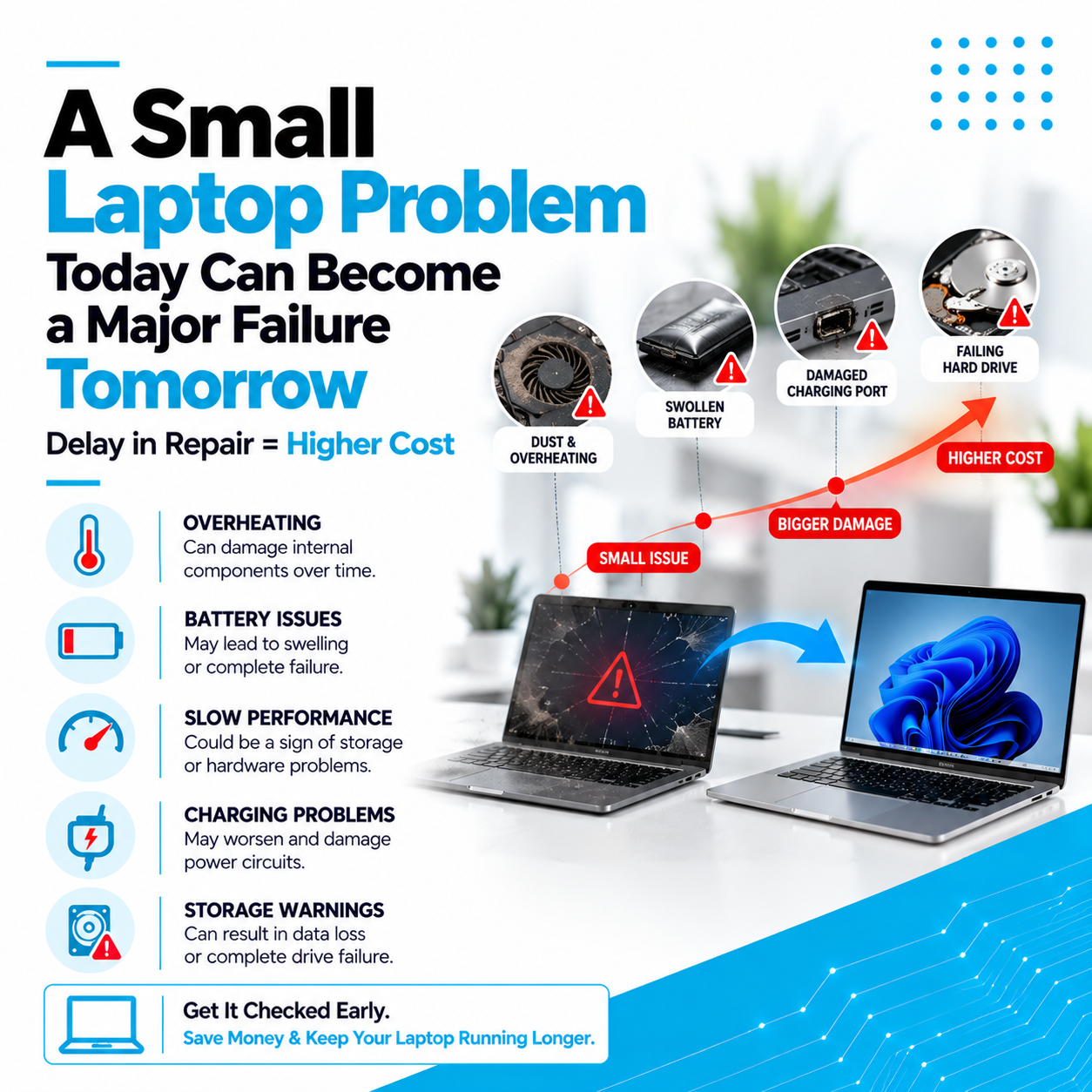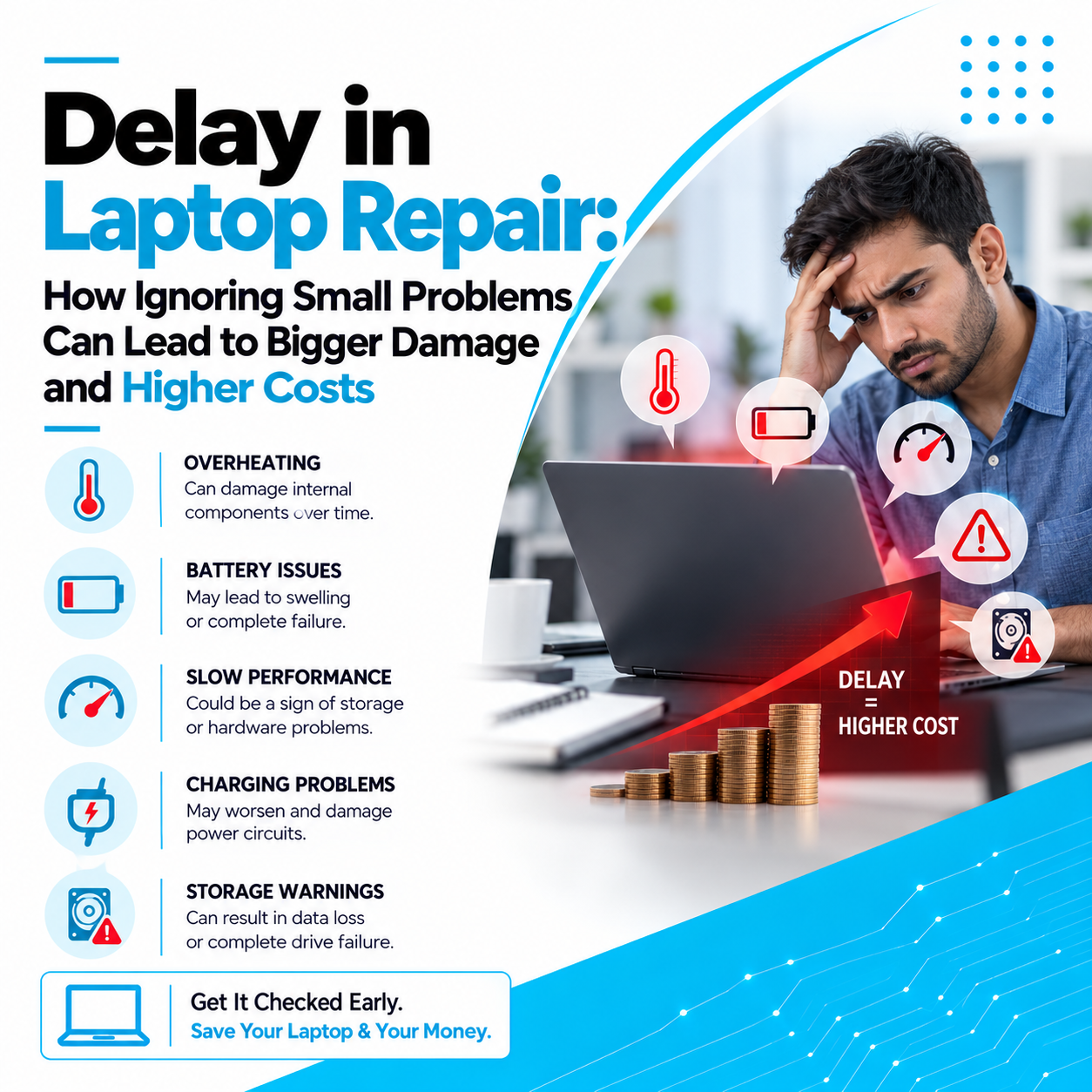
A laptop that takes longer to start, overheats during use, loses battery power quickly, or occasionally shuts down may not seem like a serious concern. Many users continue working with these warning signs, assuming the problem will disappear on its own or can be addressed later.
However, delaying laptop repairs can turn a manageable issue into a more complicated and expensive problem. A minor cooling issue may affect performance, a faulty charging connection may worsen, and a failing storage drive may eventually prevent access to important files.
The longer you ignore a laptop problem, the greater the risk of additional damage and unexpected expenses.
Whether you use a laptop for office work, education, business operations, or personal activities, recognising warning signs early can help protect your device, your data, and your budget.
1. Why Do People Delay Laptop Repairs?
Despite depending on their laptops every day, many users postpone repairs for several reasons.
The problem appears manageable
A laptop may continue working even when one of its components begins to fail. Users often assume that occasional freezing, overheating, or charging interruptions are normal.
Unfortunately, a laptop continuing to function does not necessarily mean its hardware is healthy.
Repair costs seem inconvenient
Some users avoid visiting a repair centre because they expect the repair to be expensive. Ironically, postponing a relatively simple repair can sometimes result in additional component damage and a higher final bill.
Work commitments take priority
Professionals, students, and business owners may not want to be without their laptops, even temporarily. They continue using the device until the problem becomes difficult to ignore.
The cause is unclear
Without a proper diagnosis, users may not know whether the issue is related to software, storage, cooling, the battery, or the motherboard. They may keep restarting the device or trying random fixes instead of addressing the underlying fault.
The smarter approach is to arrange a professional diagnosis when a recurring problem first appears.
2. Small Laptop Problems That Should Never Be Ignored
Several common laptop issues can become more serious when left unresolved.
Laptop overheating
Dust accumulation, blocked ventilation, fan problems, or degraded thermal paste can cause excessive heat.
If overheating continues, the laptop may reduce its performance to control temperature, shut down unexpectedly, or experience stress on internal components.
What to do: Keep the ventilation areas clear and seek servicing if the laptop repeatedly overheats, becomes unusually hot, or shuts down under normal workloads.
Battery draining quickly
A battery that loses charge unusually fast may be deteriorating or affected by software and power-management issues.
Continuing to use a severely degraded battery can cause inconvenience and unreliable performance. A swollen battery requires particular care and should not be pressed, punctured, or handled casually.
What to do: Get the battery and charging system checked. If the battery is swollen, stop using the device and arrange professional service promptly.
Slow performance and frequent freezing
A slow laptop does not automatically need replacement. The cause could be insufficient RAM, a failing hard drive, unnecessary background processes, malware, or software issues.
Ignoring persistent freezing can also increase the risk of losing unsaved work.
What to do: Identify the cause before spending money on a new device. Depending on compatibility and condition, an SSD or RAM upgrade may improve performance.
Charging problems
Loose charging ports, damaged adapters, worn cables, and internal power faults can interrupt charging.
Repeatedly adjusting the cable to make the laptop charge may worsen a loose connection or conceal a developing hardware fault.
What to do: Stop using damaged chargers and have recurring charging issues inspected.
Unusual noises or unexpected shutdowns
Clicking sounds from a mechanical hard drive, grinding fan noises, burning smells, or repeated unexplained shutdowns should not be dismissed.
Some symptoms may indicate a failing component or electrical fault.
What to do: Back up important data when it is safe to do so. If you notice a burning smell, smoke, or signs of electrical damage, power the device off and disconnect it from power if safe.
3. How Delayed Repairs Can Increase Your Costs
The financial impact of postponing repairs depends on the original fault, the laptop model, and the condition of other components. Nevertheless, delaying action can create avoidable expenses.
A minor fault may affect other components
For example, a cooling fan that is not functioning properly can allow temperatures to rise repeatedly. Continued overheating may lead to performance problems or additional hardware damage.
Similarly, ignoring an intermittent charging issue can make it harder to determine whether the problem is limited to the adapter, charging port, or internal power circuitry.
Data recovery can become necessary
A failing storage drive may give warning signs before it stops working completely. If the user continues using the drive without backing up important information, recovery may become more difficult and expensive.
Important: If a drive is making unusual clicking noises or the laptop repeatedly fails to detect it, minimise further use and seek professional advice. Do not assume that repeated restarts will solve the problem.
Emergency repairs can disrupt work
An unexpected laptop failure can interrupt meetings, assignments, customer service, accounting, and other daily activities. Businesses may also face productivity losses while arranging a replacement device.
Early diagnosis can help users plan repairs rather than deal with an avoidable emergency.
The repair may no longer be economical
A laptop that initially needs a straightforward repair may later require multiple component replacements. At that point, the combined cost may make replacement a more sensible option.
This is why early diagnosis matters: it helps you understand the problem while you still have more options.
4. Repair Early or Replace Later? Make an Informed Decision
Not every laptop problem requires a new device. Before replacing a laptop, consider its age, overall condition, performance requirements, and estimated repair cost.
Situation | Option to consider |
Minor software issue or routine maintenance | Troubleshooting or servicing |
Slow laptop with compatible hardware | SSD or RAM upgrade, if appropriate |
Degraded but replaceable battery | Battery replacement |
Faulty charging port or repairable component | Professional hardware repair |
Major motherboard damage | Compare repair and replacement estimates |
Multiple expensive faults on an older laptop | Evaluate refurbished or new alternatives |
These are general guidelines, not fixed rules. A technician should diagnose the fault before recommending a specific solution.
The objective is not to repair every laptop regardless of cost. It is to avoid replacing a device before understanding whether a safe, reliable, and economical repair is possible.
5. Why Professional Laptop Diagnosis Matters
Trying basic troubleshooting steps can be useful, but repeatedly experimenting with an unresolved hardware problem may create additional risks.
A professional repair assessment can help identify the actual cause rather than treating only the visible symptom.
Depending on the reported issue, the assessment may involve:
- Checking battery condition and charging behaviour.
- Inspecting fans, ventilation, and thermal performance.
- Testing RAM and storage health.
- Examining charging ports and power-related components.
- Diagnosing motherboard faults and determining whether component-level repair is feasible.
- Checking whether a software problem is affecting performance.
The repair recommendation should explain the fault, the proposed solution, the expected cost, and whether the device is worth repairing.
At Laptop Hub, customers can explore laptop repair, chip-level repair, servicing, and hardware upgrade options based on the condition of their devices.
6. How Regular Maintenance Helps Prevent Expensive Problems
Preventive maintenance cannot eliminate every hardware failure, but it can help identify developing issues and maintain reliable performance.
Follow these practical habits:
- Keep your laptop ventilated. Avoid blocking the cooling vents with bedding, cushions, or other soft surfaces.
- Monitor unusual behaviour. Pay attention to repeated overheating, freezing, charging interruptions, and unexpected shutdowns.
- Back up important files. Maintain a separate backup of essential documents and business data.
- Use suitable charging equipment. Avoid damaged cables and incompatible or poor-quality adapters.
- Keep software updated. Install appropriate operating system and security updates, and avoid untrusted downloads.
- Get recurring problems checked. Do not rely on temporary workarounds when the same fault repeatedly returns.
- Consider upgrades when appropriate. A compatible SSD or RAM upgrade may extend the useful life of an otherwise suitable laptop.
For businesses managing multiple devices, a maintenance schedule can also help identify problems before they interrupt employees’ work.
7. When Should You Visit a Laptop Repair Centre?
Arrange a professional assessment when you notice recurring or worsening symptoms, such as:
- Overheating during ordinary tasks.
- Battery problems or unreliable charging.
- Frequent freezing, crashes, or unexpected shutdowns.
- Unusual fan or storage-drive noises.
- A damaged screen, keyboard, port, or hinge.
- Liquid exposure or suspected internal damage.
- Storage errors or repeated failure to boot.
Seek urgent assistance for swollen batteries, burning smells, smoke, or suspected electrical damage. Do not continue operating the laptop simply to see whether the problem gets worse.
If the device contains important data, mention that to the technician before any repair or storage-related work begins.
Frequently Asked Questions
Can delaying laptop repair make the problem worse?
Yes, it can. Depending on the fault, continued use may contribute to further damage, data loss, or more expensive repairs. Some issues remain minor, while others deteriorate quickly.
Is it cheaper to repair a laptop early?
Early diagnosis can help identify relatively simple faults before additional damage occurs. However, the actual savings depend on the problem, the required parts, and the laptop’s condition.
Should I replace my laptop if it becomes slow?
Not necessarily. Slow performance may be caused by software issues, insufficient memory, or an older storage drive. Diagnosis can establish whether troubleshooting, an SSD upgrade, a RAM upgrade, or replacement is appropriate.
How often should a laptop be serviced?
There is no single schedule that suits every device. Usage, environment, operating temperature, and manufacturer guidance all matter. Heavy use or dusty conditions may justify more frequent inspection.
Can chip-level repair save a laptop with motherboard problems?
In some cases, yes. Chip-level repair may resolve specific component or circuit faults without replacing the entire motherboard. Its feasibility depends on the fault, parts availability, repair quality, and cost.
Where can I get my laptop checked in Ahmedabad?
Laptop Hub offers laptop repair and related hardware services in Ahmedabad. Contact the business to discuss your symptoms and confirm the appropriate service before visiting.
Conclusion: Don’t Let a Small Problem Become an Expensive One
A laptop rarely becomes unreliable for just one reason. Sometimes a problem is minor and easy to resolve; in other cases, a warning sign points to a more serious fault. The important thing is not to ignore recurring symptoms until the device stops working.
Delay can mean higher repair costs, greater disruption, and fewer options. A timely diagnosis helps you understand whether your laptop needs a simple repair, a hardware upgrade, or replacement.
Before spending money on a new machine, get your existing laptop assessed. With the right maintenance and a suitable repair strategy, you may be able to extend its useful life and avoid unnecessary expenditure.
Laptop Hub — Get the problem checked early. Make a smarter decision.